
When you have Questions, we have Answers
Some Frequently Asked Questions
When you have questions about the right software for your business, we have the right answers and the right solutions. Here’s a few of the questions we get asked regularly with the answers. If you have questions that aren’t here, always ask us, we’ll give you practical answers and realistic solutions.
Can I add to the software with extra functions as we grow?
With our software options, you can start off as small as you like and add extra modules, functionality and scale up as you need. Add users, modules, functionality and all the extra options you could want. Each module interrelates seamlessly with each of the others so you only need to enter the information once, it saves time, effort and human error.
How much does it cost to use ABC Software?
Using our software is very cost effective and delivers a real ROI to your business, because you only pay for the modules and services you use. Our cloud-based products like ABCgrower and ABCspray have a subscription-based pricing structured on the modules you actually need and use. Pricing is also tiered on volume making it fair and equitable across all business sizes. Our on-premise solutions, ABCpacker and ABCquality have an annual service level agreement (SLA) again based on the modules you need. Once we understand what your business requirements are, we’ll be able to give you an annual cost estimate.
Do I have to be computer savvy to use the software?
Not particularly, the way our software works is easy to understand and flows in a logical manner. Even with a basic level of training, people with little or no computer background or knowledge can use the software confidently and deliver accurate results. We are happy to demonstrate how easy the software is to use in real situations so you can achieve outstanding results. Ask our team for a customised demonstration.
Do I have to use all the options or only what I need?
You only use the options you need. Each of our software modules have a wide range of options that can be ‘turned on’ and scaled up as needed to increase the functionality of the software, then customised to suit the individual business. Plus, each of our modules function completely independently or, interlink seamlessly with each other as and when needed. It’s a flexible, practical and user friendly solution to get great results.
Is training available? What happens if we need extra training?
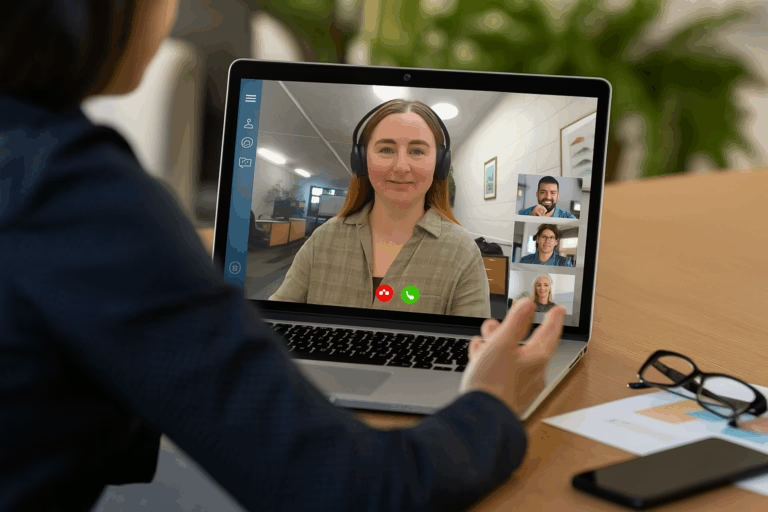
Training is an important part of implementing the software into your business practices. We schedule training to fit with your individual needs to make sure you achieve results and see the benefits straight away. Training is targeted to the needs of each business and usually includes in-person, via Microsoft Teams or video link options, plus we have a ‘train-the-trainer’ approach to ensure training is delivered to your business in the most practical, user friendly and timely manner. Additionally, there is access available to our detailed online Help manuals for our SaaS products, with extra support available via email and phone 24/7 if necessary, because we’re here to help you succeed.
How long does it usually take for implementation?
We have a dedicated onboarding team who provide setup support and full training via Teams, video tutorials and sometimes onsite training. In the case of ABCgrower for example, we usually allow around 8 sessions over a period of four weeks for the best results.
Is the software easy to use and understand?
One of the great things about our software is just how easy it is to use and understand. Even people who have had little or no experience using computers can quickly understand how the process works and see practical, usable results straight away.
Will the software from ABC work with systems we already use?
In most cases, yes. We can show many examples of successfully integrating our software with other systems. If it’s a custom integration, it will require the other system provider to be onboard with it too, so talk to us to achieve realistic and practical outcomes.
Do you have a help desk?
Yes, we do. If you need to call us, our phones are always answered by a real person who is ready to help. Additional support is available via email and phone 24/7, plus we have comprehensive online Help manuals for our SaaS products. We are always ready to help.
Are there costs for after-hours support?
That depends on the individual service level agreements (SLA) that you have with us. When you start working with us, we’ll detail the support options available so you can choose the solution that best meets the needs of your business. But, even if your chosen SLA doesn’t include free after-hours support, we’ll always help in an emergency and let you know the costs involved up front.
What happens if there is a system breakdown outside work hours?
Our help desk is accessible 24/7 for any emergency issues and our phones are always answered by a real person who’s ready to help. We already work with businesses across different time zones, and our technical team are usually available over staggered hours. If there is an issue outside our usual hours, our systems developers can be available on-call if needed.

Do I need special equipment to use ABC Software?
No. Special equipment is not required to use any ABC Software product, it runs efficiently on Android and Apple devices, handheld PDAs, laptops and desktop computers. Our software also integrates with hardware such as label printers and weigh scales.
We don’t sell hardware but our team can recommend devices and system setups to make sure everything keeps running smoothly right from the start.
Do you have an end-to-end solution from farm to sales?
The short answer is yes, but the more practical answer is let’s discuss your specific needs and issues, and then we will create a customised demonstration to show you the real outcomes and results you can expect from start to finish using ABC Software.
Can I get a specific custom solution for our farm?
All ABC Software products are designed to work in conjunction your existing business processes. We know you’re good at what you do so don’t expect you to change to fit inside a new box. And, because we work with a wide variety of produce types across different-sized businesses, we have huge flexibility already built in to the software.
For example, ABCpacker has a range of base modules specifically configured to individual packhouse processes and produce types. These are easily customised to get individual versions of the software to meet precise business needs. Talk to our team about your specific processes and we’ll help find the best solution available.
Is the software cloud based?
In most cases, yes. Online, cloud-based data storage, means access to your data is available remotely and also gives added security and easy access to all your information from any device with an internet connection. In the case of a natural disaster, or, damage or loss of a physical device, then complete data recovery is easily accessible. ABCpacker is different in that it is installed on-premise, so you’re not reliant on a stable internet connection at all times. Back up services are provided based on your requirements.
We don’t have reliable internet on the farm, can we still use the software?
Absolutely. The ABCgrower App is designed to work offline. It lets you collect information in the field and sync when in back in range. Information only needs to be entered once and follows throughout the software modules making it really easy to accurately track all your data and keep everything up to date. ABCpacker is an on-premise application which means it keeps working uninterrupted if the internet goes down.
Does ABC manage payroll?
No, but ABC manages all employee and contractor timesheets and does all the calculations to pay your workers correctly. This includes piece rate and wages, minimum wage top ups, overtime requirements under the Australian Horticulture Award, minimum required hours, paid and unpaid breaks, and bonuses. ABC doesn’t manage PAYE or superannuation, so you still need a payroll provider for that.
How does it connect to external payroll systems?
You can export your pay information from ABC and enter it into your payroll system, or talk to the team about creating a CSV file to upload or an API or transfer data from one system to another.
Can workers sign themselves in and out?
Yes. We offer flexible options for capturing worker time, but most organisations have their supervisors sign seasonal workers in and out in the field. Our kiosk time clock is popular for packhouse workers to sign themselves in and out.
How does the system manage labour hire contractors?
Our system is used by both growers and contractors. Growers can use the details in ABCgrower to reconcile contractor invoices. Training to use the system is quick and simple to understand.
Can I track worker output individually?
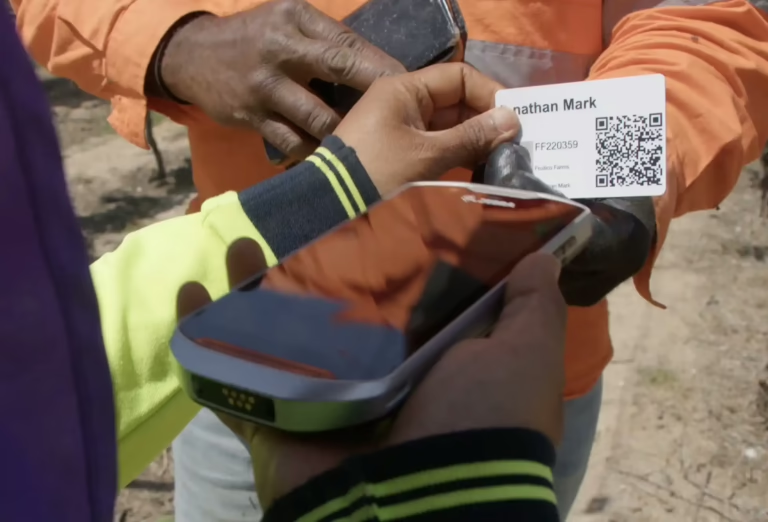
Definitely. You can keep track of sign in and out times, worker location and view individual productivity in real-time. Record labour, both piecework and hourly, improve worker performance and manage remedial action, do infield quality assessments and assign ratings. Accurately manage who is doing what, when and where, and have traceability on who picked the produce. These are only a few of the many management options available to track workers output, productivity and efficiency. Have a look at the other ABC product solutions and features.
Can we track who are our most efficient workers?
Absolutely. Measuring productivity of individual workers is an easily accessible process using ABCgrower. Managers and supervisors can record the activities of either individuals or specific groups to get accurate, real-time tracking that helps with productivity and quality improvements. Another useful tool is the productivity bonus calculator that supports optional weighting and bonuses to reward efficient workers.
Can I manage production costs?
Absolutely. Actual cost of production is no longer a retrospective practice. ABCgrower’s block cost reporting helps manage actual costs in real time. It lets you see detailed labour costs by task, both harvest and non-harvest, including contractor commissions. The ability to see harvest labour costs by hectare, tree or vine, bins and kilos allows informed decision making on the spot.
How often is the software updated?
Continually. Our development team work constantly on updating and improving our software options. We care about the quality of our product and work to improve and enhance the user experience and functionality of our software. As we are totally horticulture focussed, we work in conjunction with our customers to understand the changes and trends that are happening in the industry to ensure we are ahead of changing needs. We listen, we respond and drive continuous improvement.
Can we get compliance reports using the software?
Absolutely. Depending on what reports are required and how the system is setup, a comprehensive range of compliance ready reports are always accessible in real time.
What dashboards do you have?
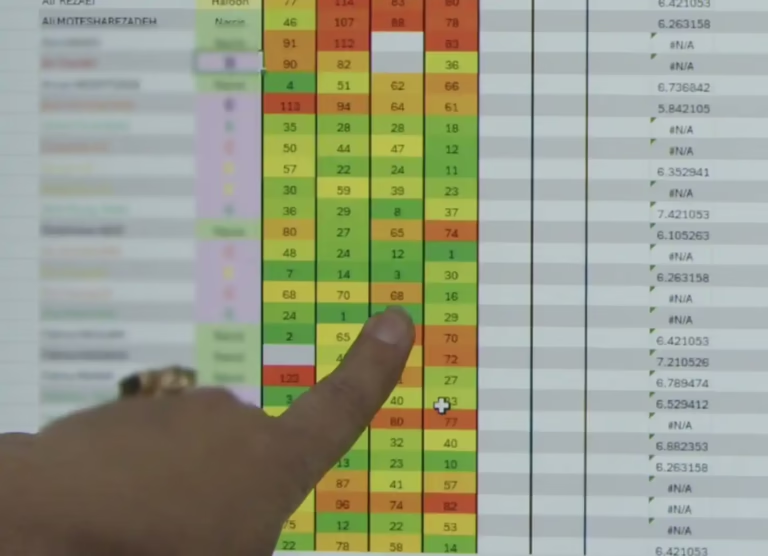
Rather than having a fixed, static dashboard view which can result in “one size fits none”, our solution offers comprehensive reporting with search filters that allows you to structure reports on the data in a way that works for your business. Plus, there’s always the option to export data for further analysis and evaluation, as well as a Business Intelligence module in ABCgrower popular with many larger clients who build their own customised visual reports within their analytics platforms.
How accurate are the reports?
As with anything to do with data integrity, the reports generated are absolutely accurate on the proviso that the information initially input by personnel is accurate.
What sort of reports can we get?
All sorts. Our clients tell us our comprehensive reporting is a big drawcard of our software. When you record information digitally our system presents it back to you in many powerful ways. We include many filtering options, so you create reports targeted to the needs of your business.
Does the software track produce quality and generate reports?
Definitely. Infield quality assessments are a standard feature of ABCgrower and for more comprehensive solutions we have a stand-alone module delivering very comprehensive cloud-based QA/QC solution in ABCquality. Designed for Quality Control (QC) within the packhouse, it comprehensively records produce defects, measurements and observations, and is a Quality Assessment (QA) system for checklists in any area of your business. Results and reports can be viewed on any device at any time, or auto-email quality reports. ABCquality can be used standalone or integrated with ABCpacker or any external system for even more accuracy and efficiency.
Are grower reports available as well?
There is a comprehensive and detailed range of grower reporting options available going right down to the block, variety, row, individual tree, vine, plant, or hectare, harvested unit, harvested kilogram. Also see productivity, inventory and labour reports. For more in-depth analysis there is also one-click output to spreadsheets and optionally our Business Intelligence API to utilise data in analytics platforms including Microsoft Power BI.
What existing financial systems does the software link to?
ABCpacker integrates with most leading financial systems, including built-in Xero integration. Our team can help tailor a setup between your existing system to suit your business, including linking pay information from ABCgrower to your payroll system.
Can I just use the Spray diary?
Yes absolutely. ABCspray can be used individually as can any of the other ABC Software modules because each module functions completely independently of each other, or interlink seamlessly with every other module. ABCspray is a digital spray diary that is user-friendly, accurate and delivers compliance ready results. It has features including rate calculations, threshold warnings, applied nutrient totals and withholding dates. The inventory management features include visibility of stock on hand, delivery management, transfers, chemical usage and stocktaking. It’s a comprehensive and effective tool to manage all agri-chemical spraying requirements.

Can we use RFID and QR codes? Does ABC read 3rd party labels as well?
Yes, yes and yes. There are so many options available with all ABC Software to make workflows more efficient and effective across your entire organisation. Tell us what specific problems you are trying to solve, and we’ll be able to show you practical and useful solutions to suit each individual need.
Do all the ABC software modules interact with each other?
Absolutely. Each module integrates seamlessly with every other one, and the beauty of it is, you only need to add data and information once and it is then accessible across each other module. It’s quick, accurate, easy to use and understand and saves time, effort, and human error. And, of course, the results are exceptional.
How safe is our information?
Most of the ABC Software products and modules operate online with cloud-based data storage, which simply means a remote system to store and process the data. We have servers located in data centres around the world, with backups duplicated across multiple geographic regions to add extra levels of security and safety for all data. Cloud storage also gives you added security and easy access to all your information from any device with an internet connection, allowing recovery of information if your business is impacted by a disaster or a physical device is lost or damaged.
Can I use ABC Software to manage our coolstores?
Yes. ABCpacker is the ideal solution for coolstore management as it tracks bins, carton and pallet labelling, sales orders, produce position within the packhouse and coolstore, traceability, QA and QC, produce age and movements, dates, orders, freight and packaging. Always know exactly what produce you have on hand, where it is, when it arrives and leaves, where it came from and where it is going, and manage all the paperwork that goes along with it – it’s efficient, robust and compliant with audits and financial management. More information on ABCpacker is here or ask for a customised demonstration from the team about the ABC options.